 Web Cloner
Home Features
Everything Web Cloner does
Three jobs, the repair pass that keeps images from going missing, and the options behind them.
Web Cloner does three things to a website, and each one ends with files on your own disk rather than a tab you hope stays open. It drives wget, the mirroring tool that has been doing this since 1996, and puts a window around it so you never type a flag unless you want to.
Clone a site for offline reading
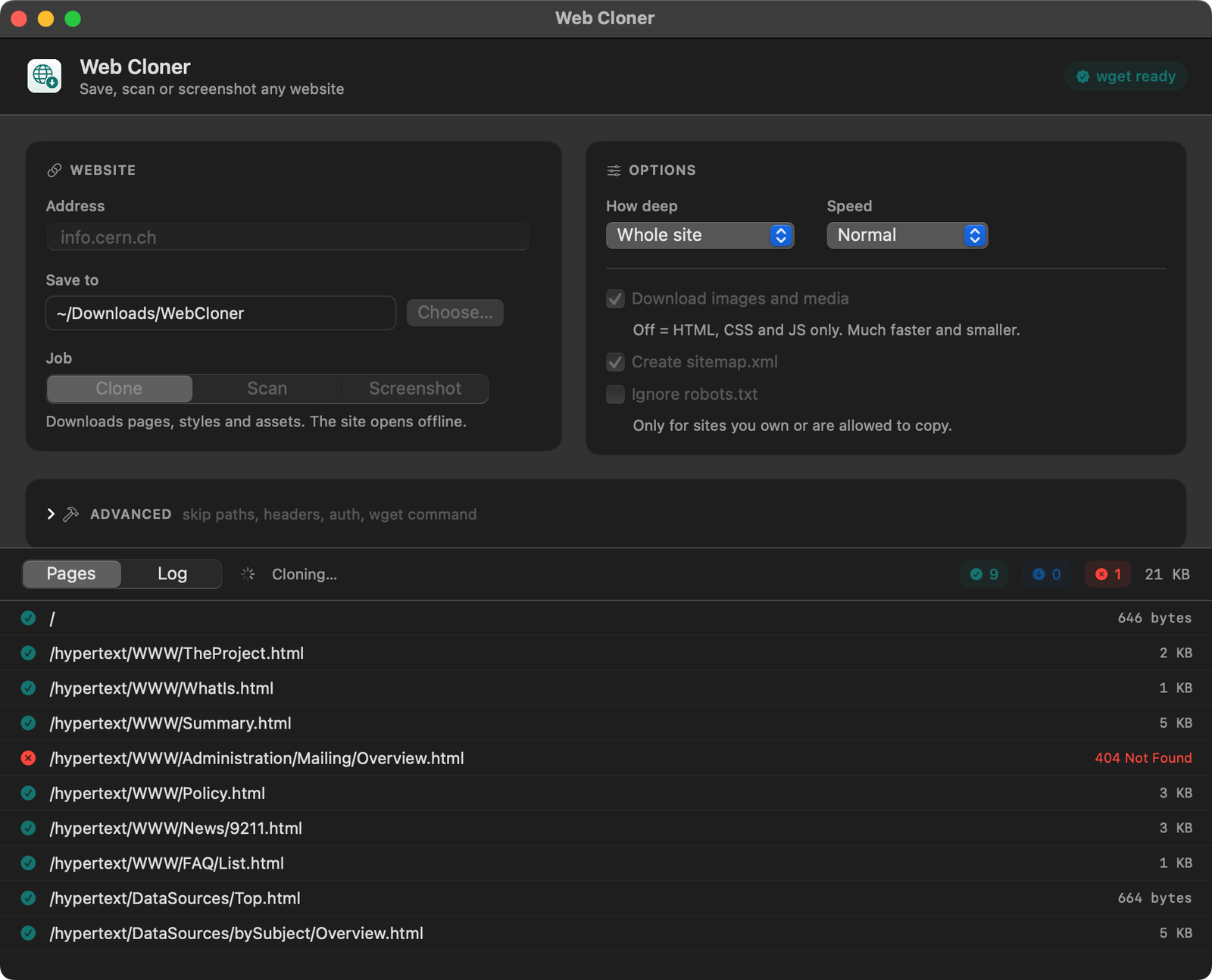
The Clone job starts at the address you give it, follows the links it finds, and saves every page along with the stylesheets, scripts, fonts and images those pages need. Links are rewritten as it goes, so index.html opens in any browser with the network switched off and the site behaves the way it did online.
You decide how far it goes. Whole site follows every internal link, or you can stop at one, two, three or five levels deep. Turning off images and media leaves HTML, CSS and JavaScript only, which is far smaller and much faster when you only care about the text.
Scan without downloading
Scan walks the same links but saves nothing. It is the quickest way to learn how large a site really is, which pages exist, and which links are already broken. Every page appears in the list with its status, and the run still writes a sitemap.xml at the end.
Screenshot every page
The Screenshot job renders each page in WebKit, the engine behind Safari, and writes a full-page PNG at 1280, 1440 or 1920 pixels wide. Because it is a real browser engine, JavaScript runs and the page looks the way a visitor sees it. That makes it the one job that still captures a site built entirely in the browser. A single run covers up to 60 pages.
Images that live on another domain
This is where most site copiers quietly fail. A modern site serves its pictures, fonts and stylesheets from a separate domain, and a plain mirror follows one host only, so those files are never fetched. Some pages also write a background image in a form that wget reads as a relative path, requests, and logs as a 404.
Web Cloner runs a repair pass after the mirror. It reads the saved pages and stylesheets, collects every asset URL still pointing elsewhere, untangles the mangled ones, downloads what is missing and rewrites each reference to the local copy. On a test site built with Webflow that took the result from 11 files and 221 KB to 30 files and 1 MB, with all 325 references resolving offline.
A page list instead of a log
While a job runs, each URL appears with its own state: downloading, done, failed or redirected, the size beside it, and the reason when something fails. The counters at the top filter the list when you click them, so every 404 on a site is one tap away. The raw wget output stays available under the Log tab.
Speed and depth
Polite adds a wait between requests and caps the transfer rate, which is what you want on a server that is not yours. Normal keeps a short pause. Fast does not wait and is meant for sites you run. Robots rules are respected unless you turn that off, which is a choice for your own sites.
Options for developers
The Advanced panel maps one to one onto wget flags: skip paths, restrict to a single section, reject URLs by pattern or file type, allow extra asset domains, cap the download size, basic authentication, keep the original links, ignore certificate errors. A button copies the finished command for a terminal or a script. See the full list.
Setup and updates that handle themselves
If wget is missing, the app offers to install it through Homebrew, and installs Homebrew first when that is missing too. Once running, it checks for a newer release on launch and replaces itself in place, so you never download the app a second time.
One build, both chips
A single universal binary runs natively on Intel and Apple Silicon with no Rosetta, needs macOS 13 Ventura or later, and is MIT licensed with no account, no telemetry and no paid tier.